
Most folks with a trail-cam know the problem: you get thousands of clips and photos, and 90% of them are wind-blown grass, pigeons’ bottoms, or the neighbour’s cat. Lovely, but who’s got time to sift through all that?
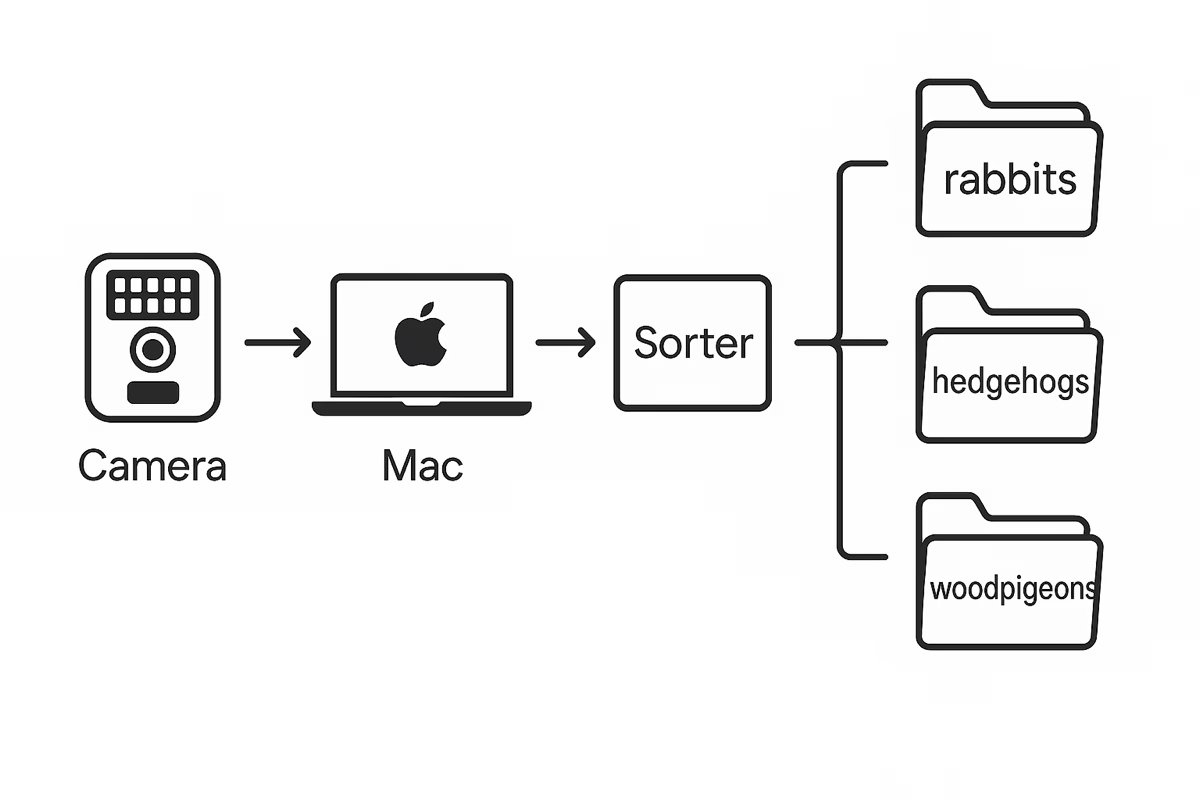
At Hedera Cottage we built a “robot librarian” that does the sorting for us. It runs quietly on a Mac, watches the incoming footage, and files each creature into its own folder: hedgehog here, rabbit there, woodpigeon over yonder. If it’s not sure, it pops the clip into a “review” pile so you can double-check.
And the good news: you don’t need to be a programmer to set it up. Here’s how.
What you’ll need
- A Mac (laptop or desktop, doesn’t matter much)
- A wildlife camera or two that can save photos/videos onto your Mac (via memory card, cable, or straight to a folder/NAS)
- About half an hour of patience, plus a nice cuppa
Step 1: Set up the “workspace”
Make a folder somewhere handy (ours is called WildLife). Inside, add a subfolder called Cameras. Drop your camera footage in there — that’s where the magic begins.
Step 2: Install the “brains”
Your Mac needs two things:
- Python (the programming language, already on most Macs but you can install the latest easily).
- A couple of helper tools (we’ll give you the commands to copy-paste).
Don’t panic: it’s one-time, and once it’s there you can forget about it.
Step 3: Run the sorter
Drop our little “sorter app” into your WildLife folder. Then, in Terminal, run:
python sort_species.pyIt’ll churn away, and suddenly your Species folder will appear:
- rabbits
- hedgehogs
- woodpigeons
- unknown (for the odd mystery beast)
and so on.
Step 4: Teach it with examples
The clever bit is it learns better if you give it a scrapbook of “reference photos”. We save a thumbnail of every rabbit, pigeon, or hedgehog it’s really sure about, labelled with a timestamp. Over time this gallery means the Mac gets more confident: fewer badgers-that-aren’t-badgers, more correct hedgehogs.
Step 5: Let it run itself
On a Mac you can set Automator or Calendar to open the sorter every hour. That means your footage is processed automatically in the background while you’re doing other things (like keeping your tea warm).
Step 6: Enjoy your nature diary
Each day the robot librarian produces a little tally:
rabbits: 11
hedgehogs: 24
woodpigeons: 5
humans: 2 (usually the postman)
You can open any folder to watch the highlights. It’s like having a nature reserve logbook kept by your Mac.
Why bother?
Because instead of trawling through endless files, you can spend time actually enjoying the wildlife. And if you’re anything like us, you’ll soon start spotting patterns — that hedgehog at 11pm every night, the bold rabbit that pinches carrots, or the green woodpecker you didn’t know lived nearby.


0 Comments